The Studio Behind the Show: How Showspring Carries a Series from Idea to Screen
Making a great AI video clip has become manageable. Making a show worth coming back to is a different problem entirely. Showspring is built to solve the second one: a coordinated production system that walks with you from idea through script, cast, locations, scenes, video, audio, and publishing, keeping every creative decision in your hands while handling the craft operations for you.
Making a great single AI video clip has become manageable. The harder problem is making a show: the same characters across six scenes, a script that holds to the world you established in episode one, voices that belong to the cast, and a production process you can run again next week without rebuilding every prompt from scratch. That is a coordination problem, and it is the one Showspring is built to solve.
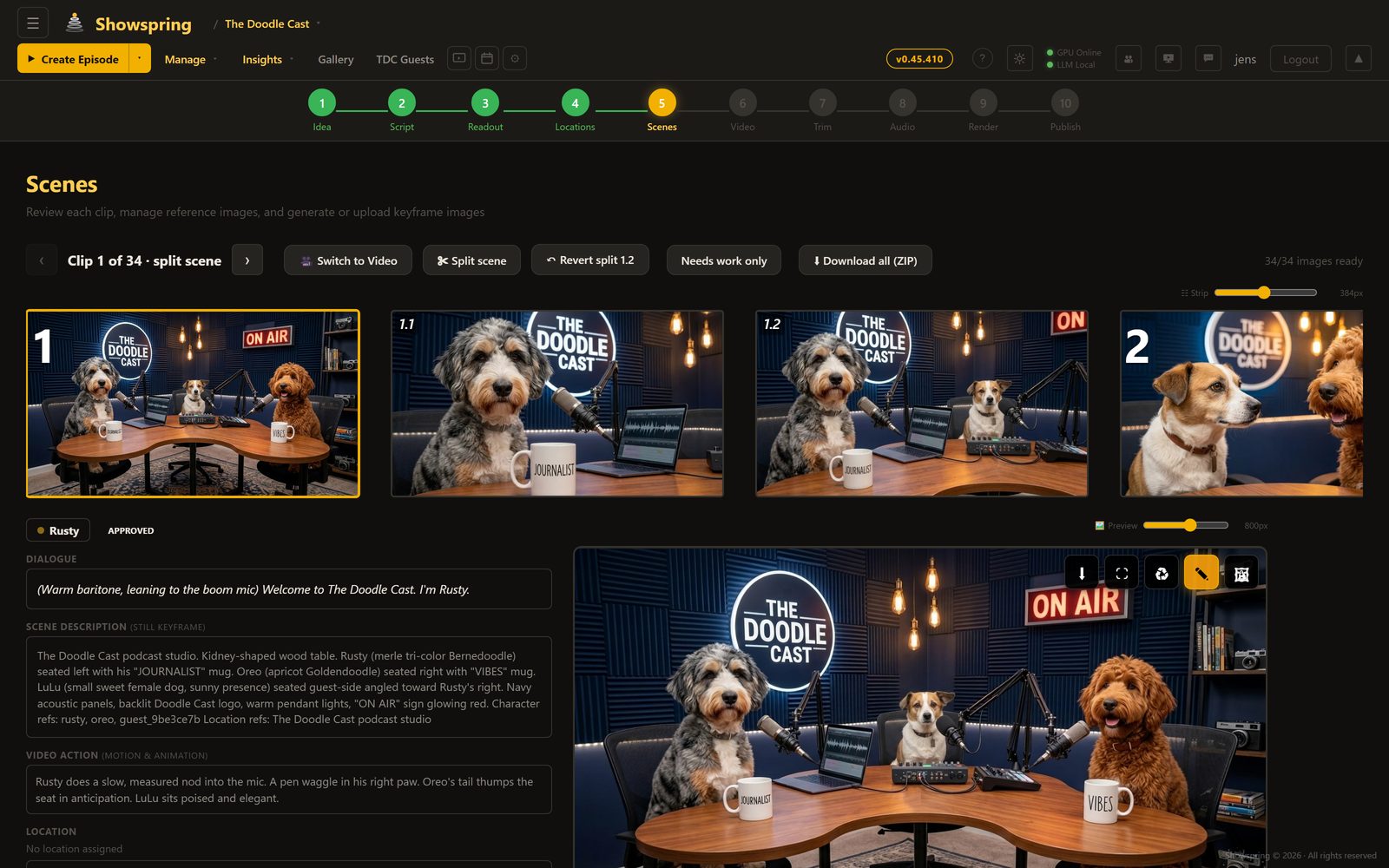
Showspring is not an AI Netflix, not a clip generator, and not a corporate training presenter. It is an AI production studio for creative, episodic shows. Your characters, your world, your channels, and your audience stay yours.
From first idea to publishing-ready
Every episode moves through a ten-step production path: idea, script, readout, locations, scenes, video, edit, audio, render, and publishing preparation. It is structured enough to keep the work coherent, but every consequential choice stays with the creator.
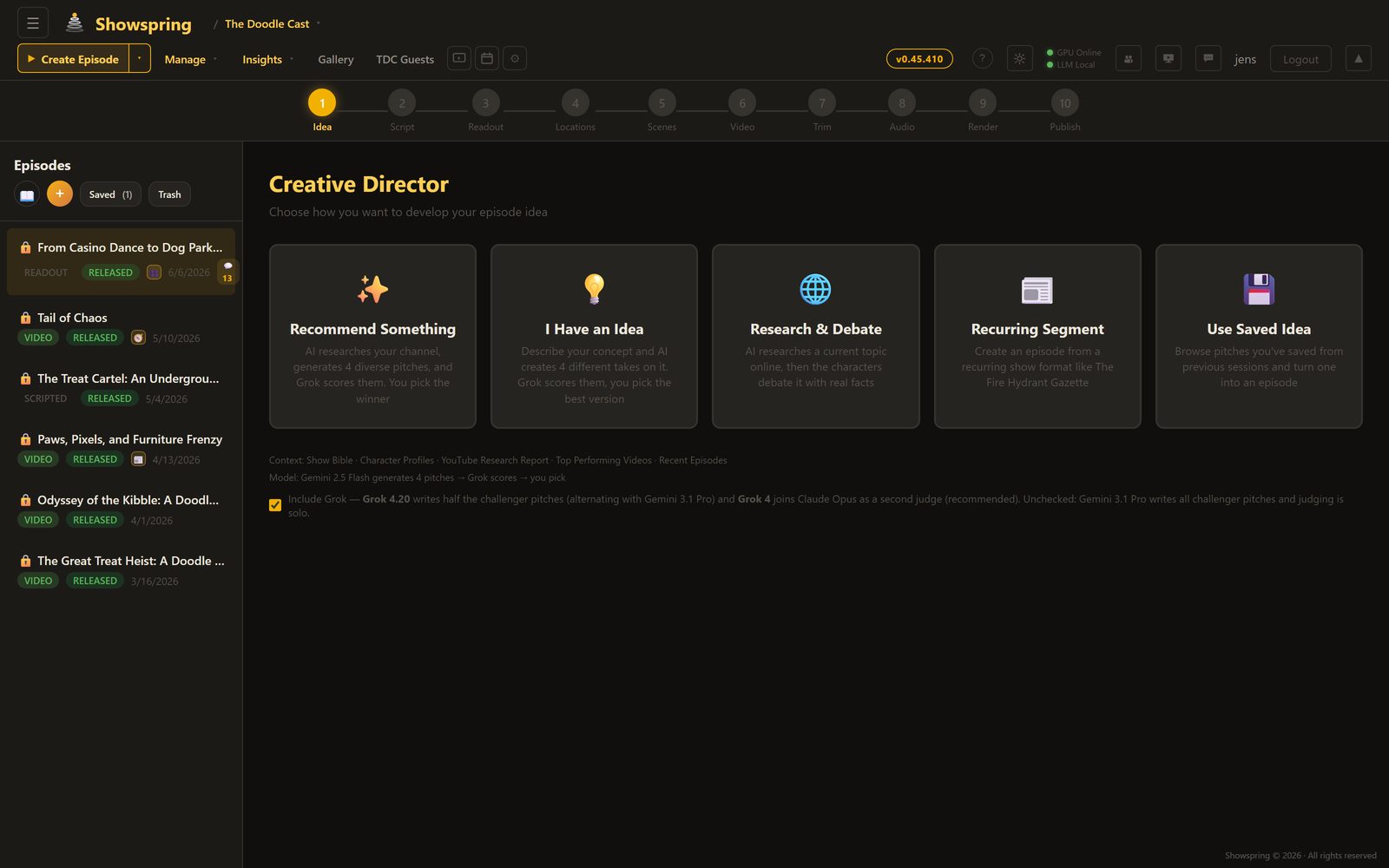
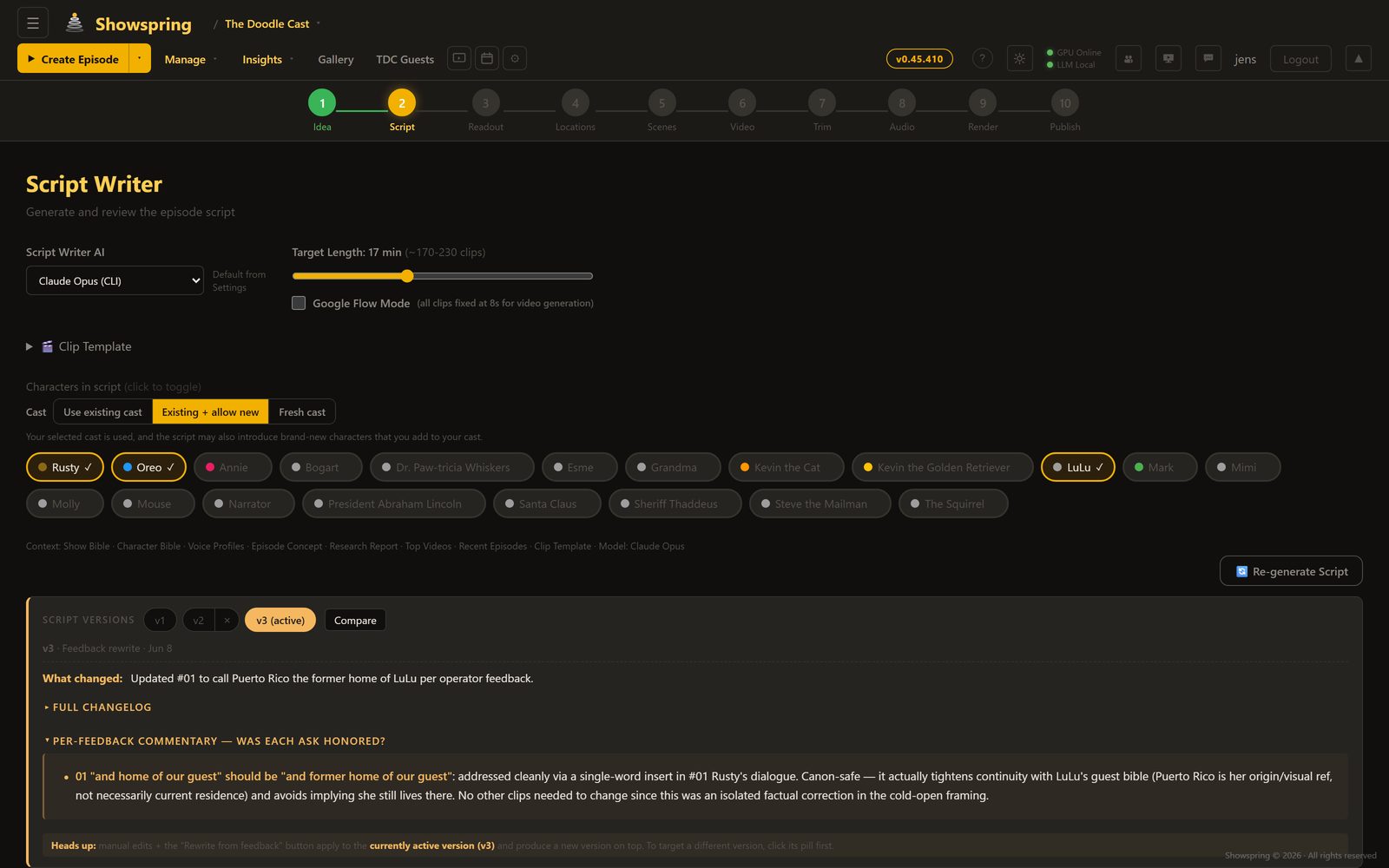
Idea and script. An idea agent can pitch story beats and episode arcs in the show's own voice. The script writer drafts and revises against the show bible. You approve what works, reject what does not, and decide when the episode moves forward.
Cast, locations, and props. Each recurring element has a definition and reference set. Characters carry their appearance, personality, and voice. Locations and important props carry the visual evidence a scene needs. Those sources are attached to the show, not rediscovered in a prompt every time.
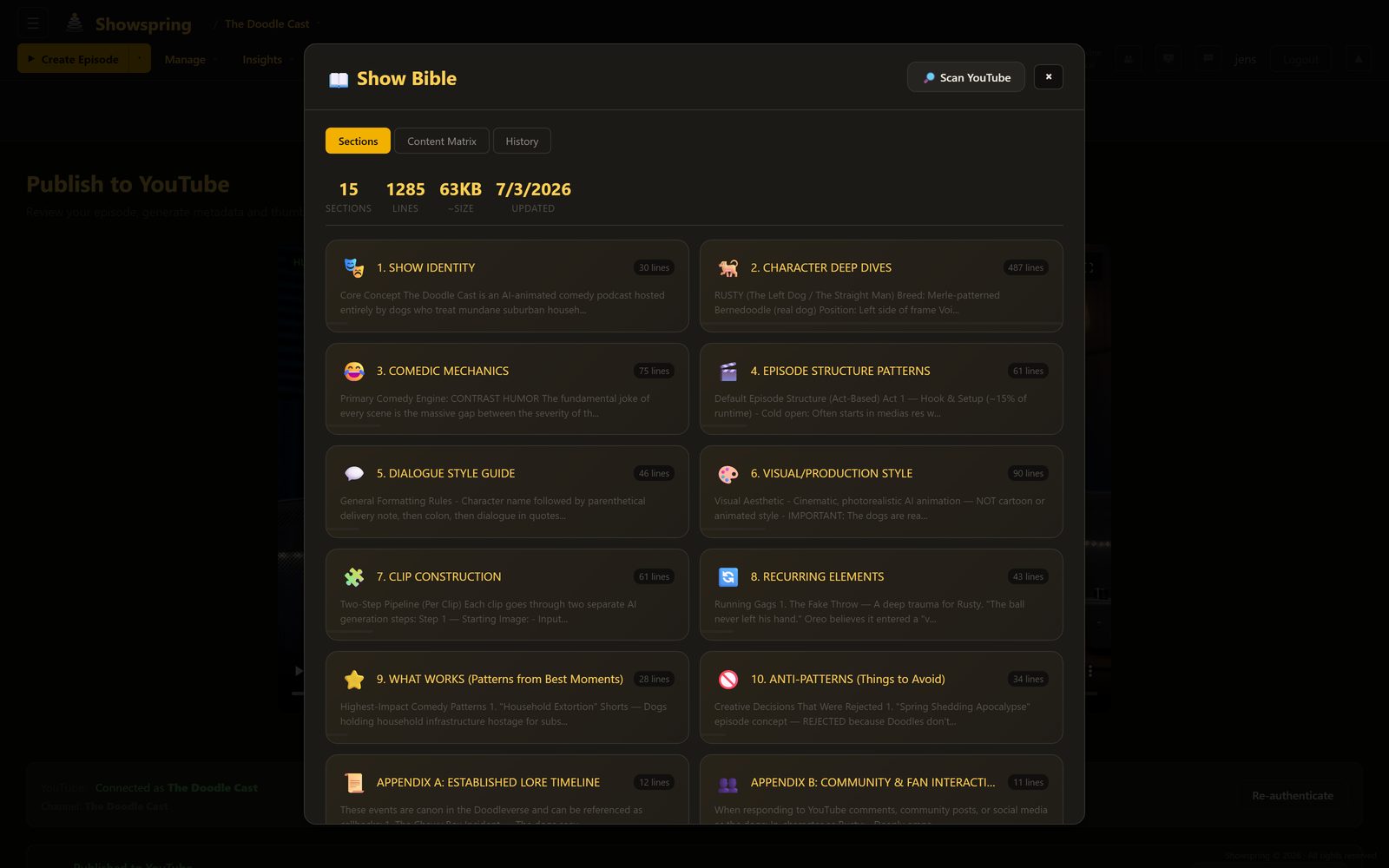
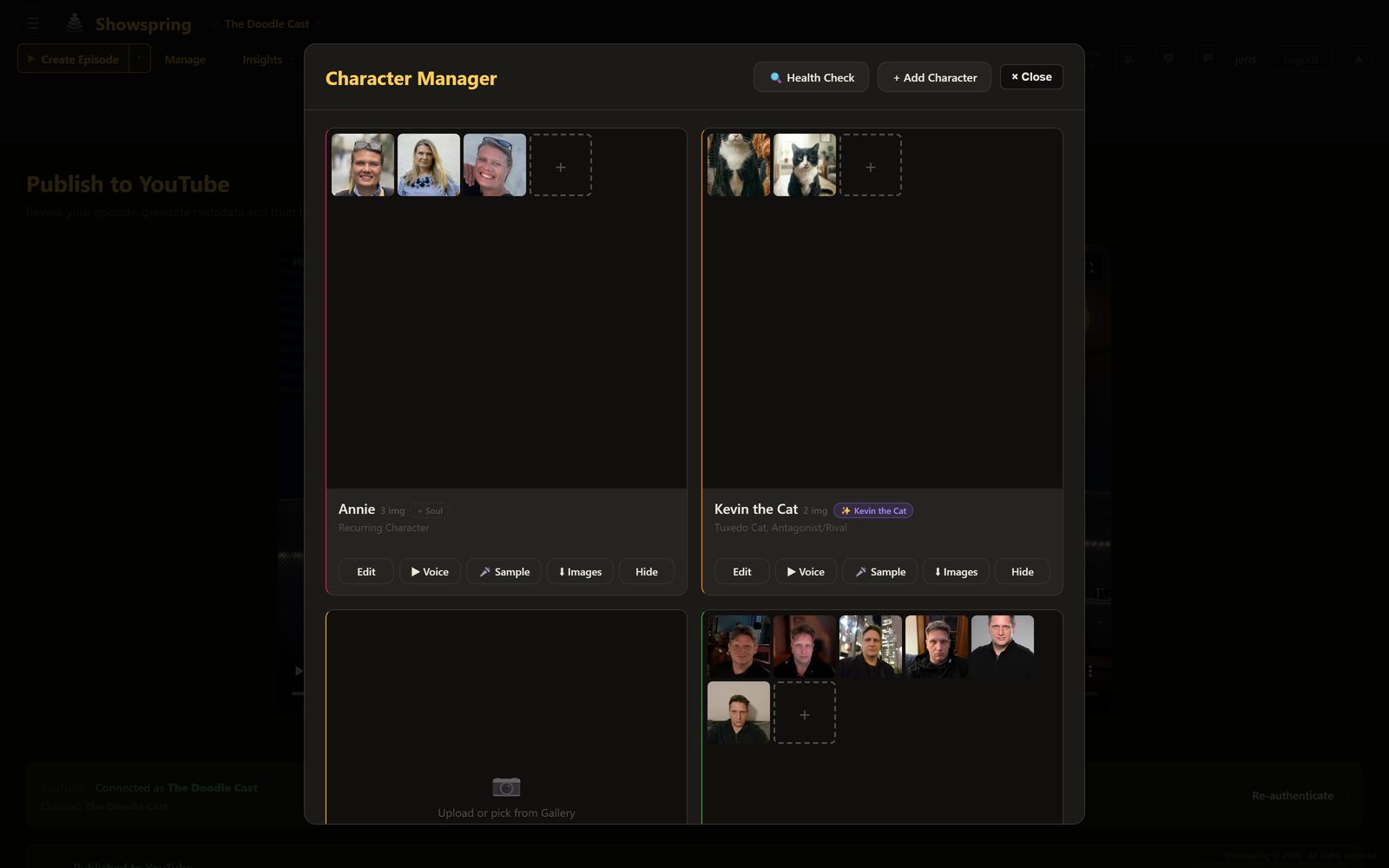
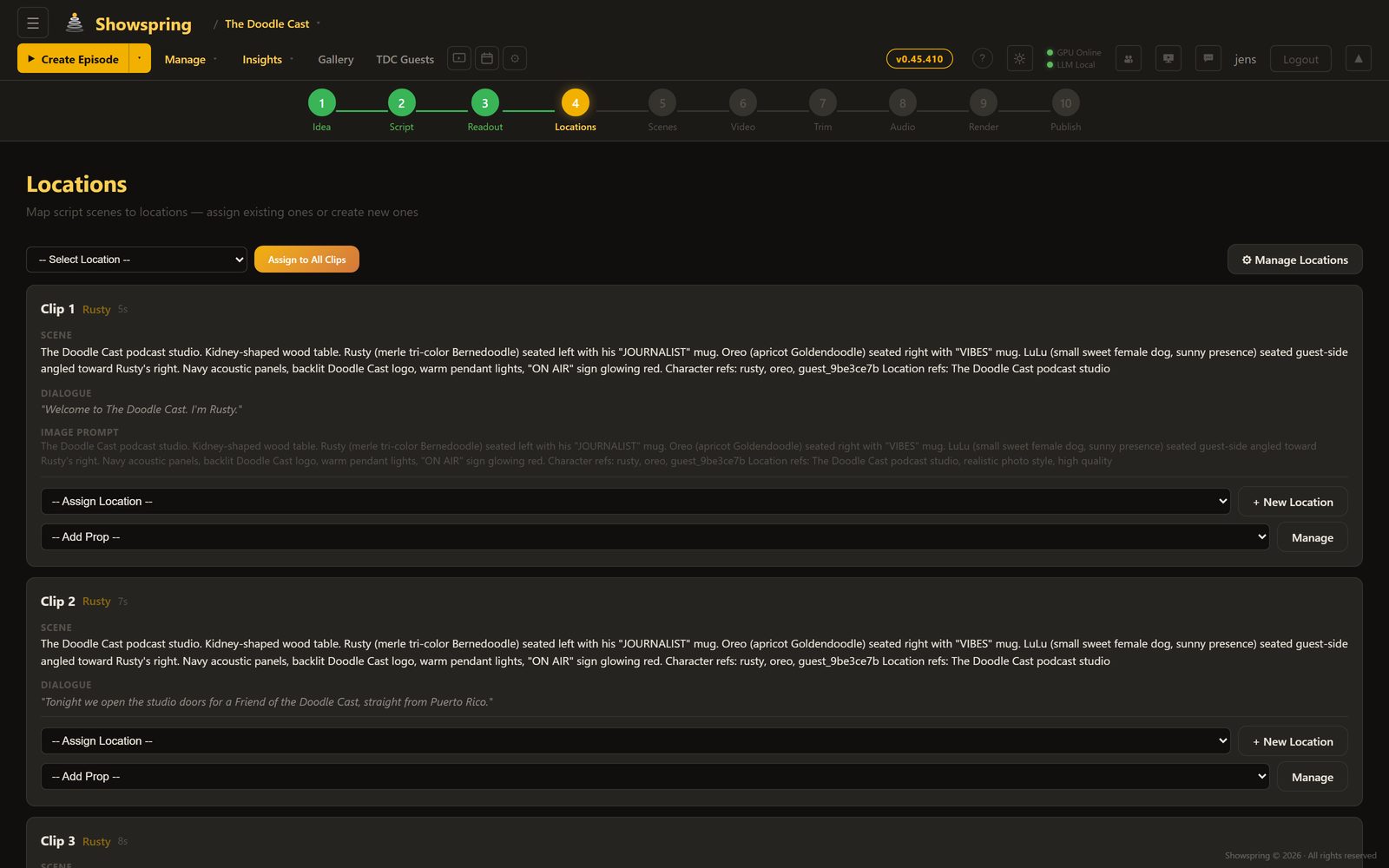
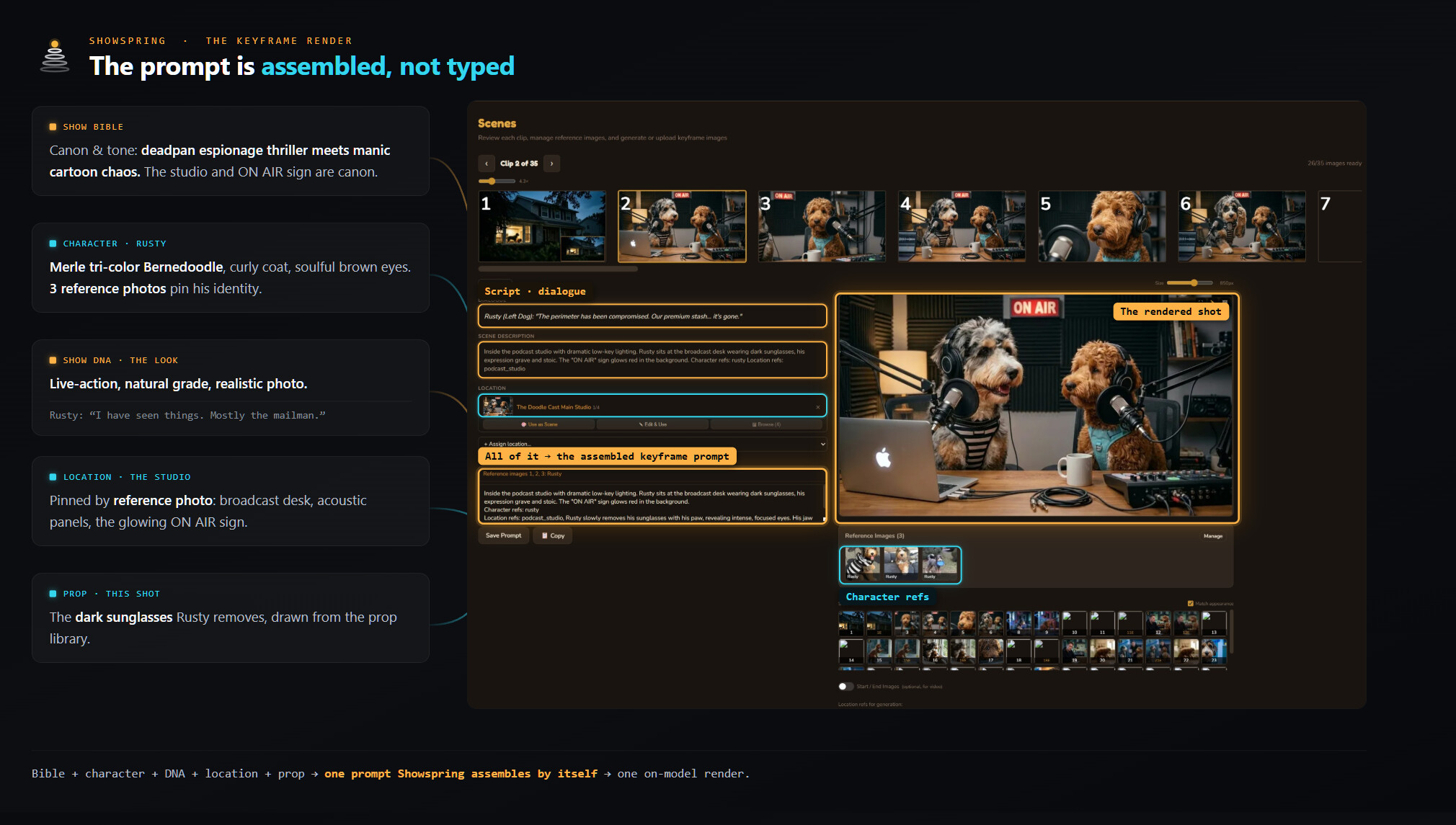
Scenes, video, and audio. At render time, the studio assembles each shot from the sources that belong to it: the bible, character definitions and reference photos, Show DNA, location, props, dialogue, action, and camera direction. The voice stage handles the cast's neural speech. The render and publishing steps prepare the finished episode, while the release decision remains with you.
Model choice without pipeline surgery
A show is not one prompt. It is dozens of operations across many steps, and different jobs benefit from different models. Showspring can route routine coordination to an efficient path and use more capable options for heavier creative or rendering work. You can also make a direct model choice where it matters.
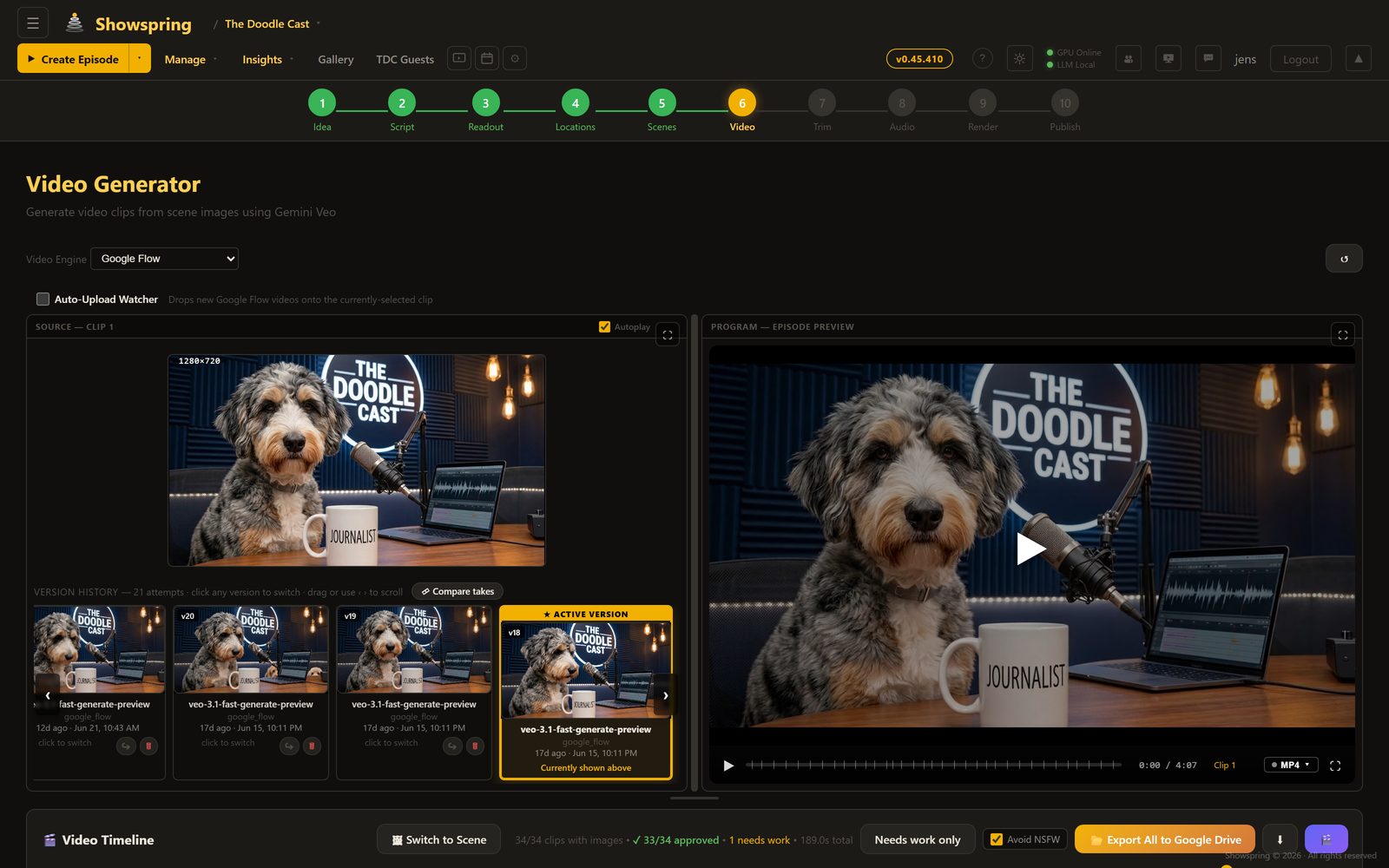
This is why Seedance, Veo, and other capable video options belong inside the same workflow. The model is interchangeable. The production discipline around it is not. Showspring keeps the references, sequence, approvals, and episode state intact when the underlying capability changes.
Show DNA and human creative control
Show DNA is the persistent voice and visual direction that helps one episode belong beside the next. Every generation step can read the same show-level sources instead of inventing the format again. If a frame, scene, or line drifts, the studio has something concrete to compare it against.
Human review is part of the workflow. Share links let a trusted collaborator review ideas, scripts, readouts, and scenes without handing them production controls. Inside the studio, version history and step-specific revert controls make it practical to compare takes and return to an earlier choice.
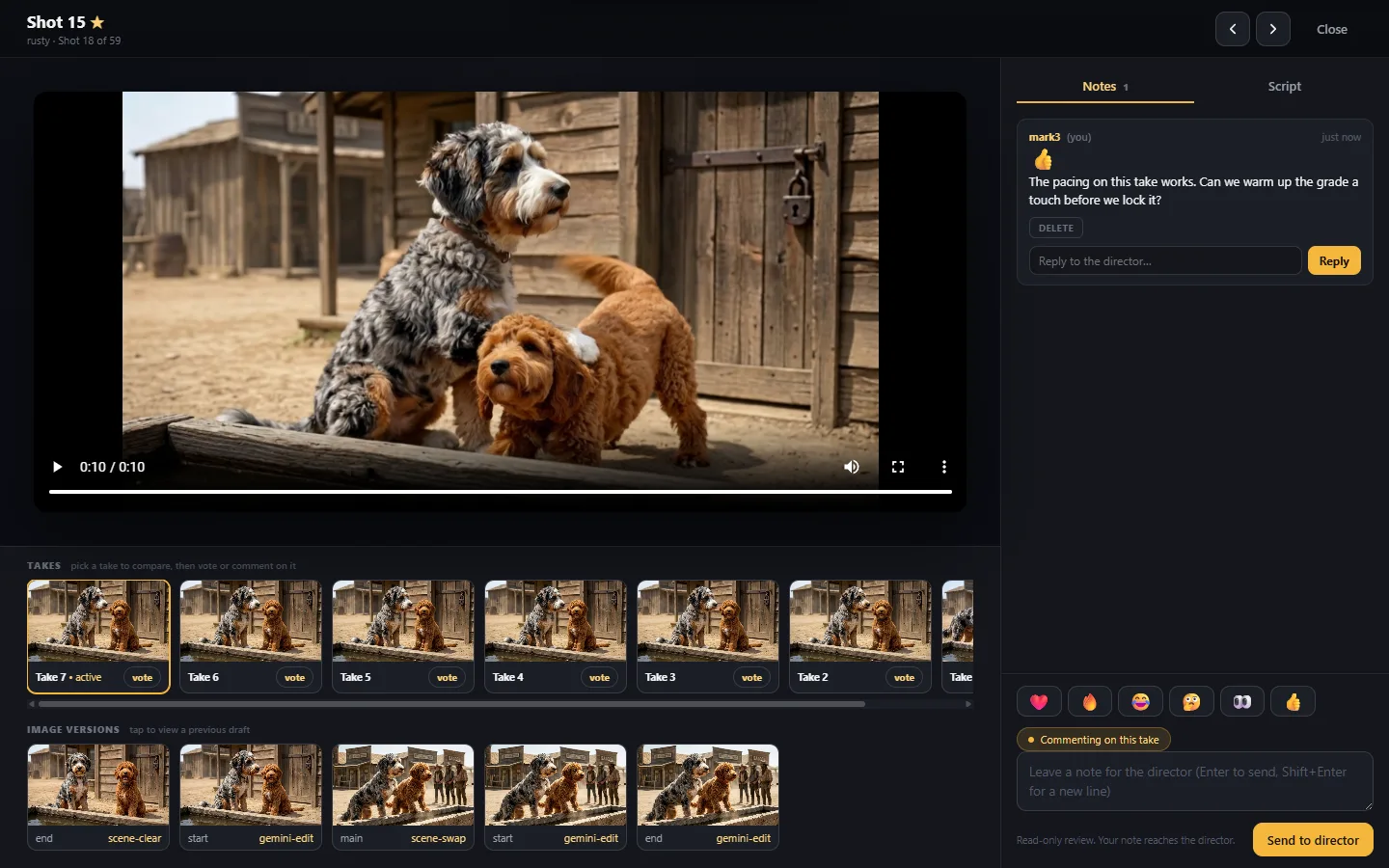
Spend consent follows the same rule. A costed generation step presents the plan and price before it runs. June and the agent tools can prepare or propose work, but they do not quietly publish, bill, or make the creative decision. Automation carries the craft operations. Authority stays with the director.
Meet June, your production coordinator
Moving a complete episode through ten steps is a lot to track. The bottleneck is often not access to another tool. It is knowing what to do next and catching the detail that drifted three steps ago. That is June's job.

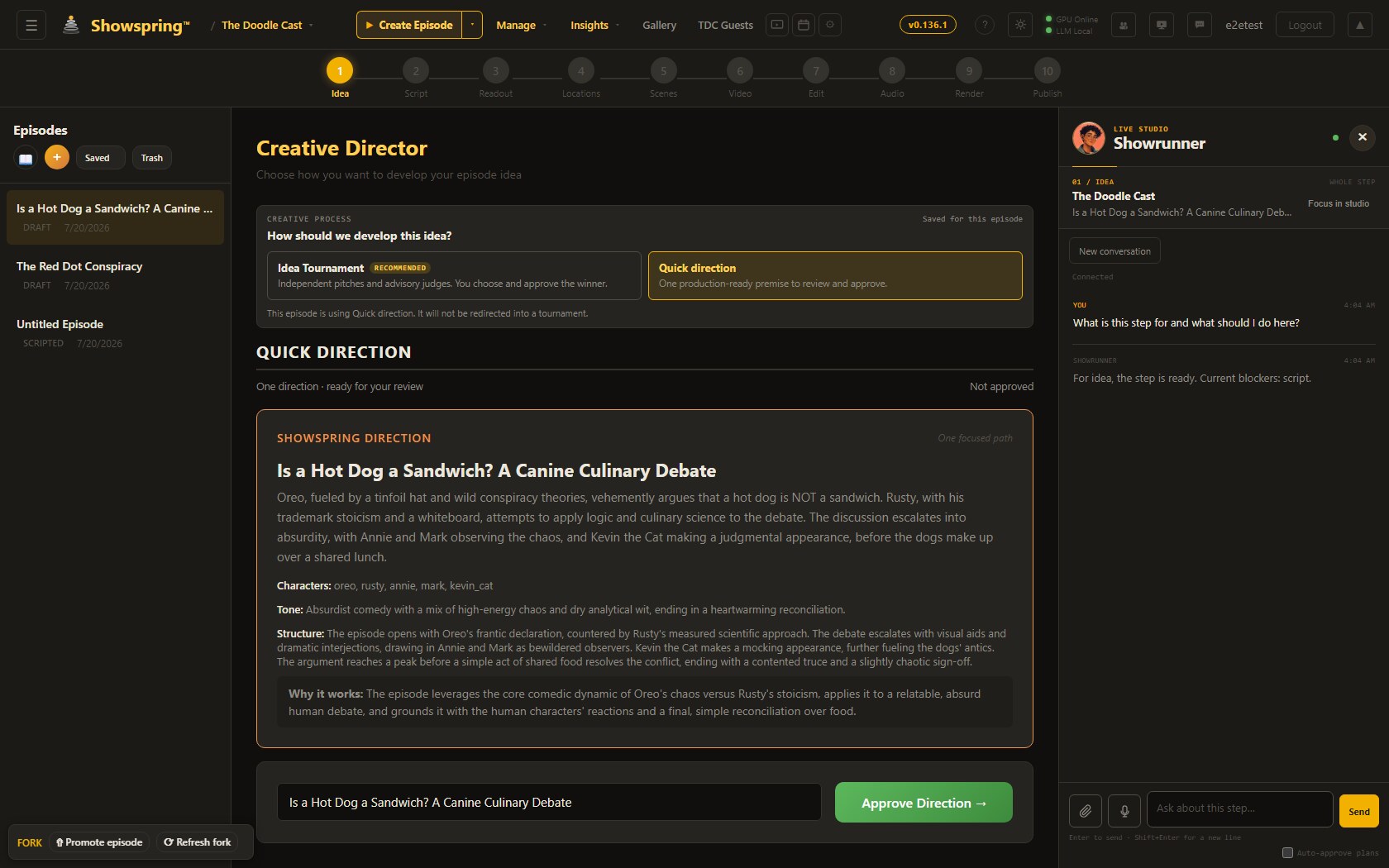
Ask what a step is for, whether the episode is ready to move, or what is drifting from the bible, and June answers from the actual show data. Ask her to generate an idea, revise a scene, or start a render, and she shows the plan before anything runs. Everyday coordination can stay on a cost-efficient local path, with heavier infrastructure used only when the task calls for it.
Characters that stay your characters
The consistency problem in an AI video series is not only generation quality. A tool can make one excellent frame and still lose the character by scene three. Showspring addresses that through reference sets. Each character, location, and important prop carries the evidence that anchors it across the work.
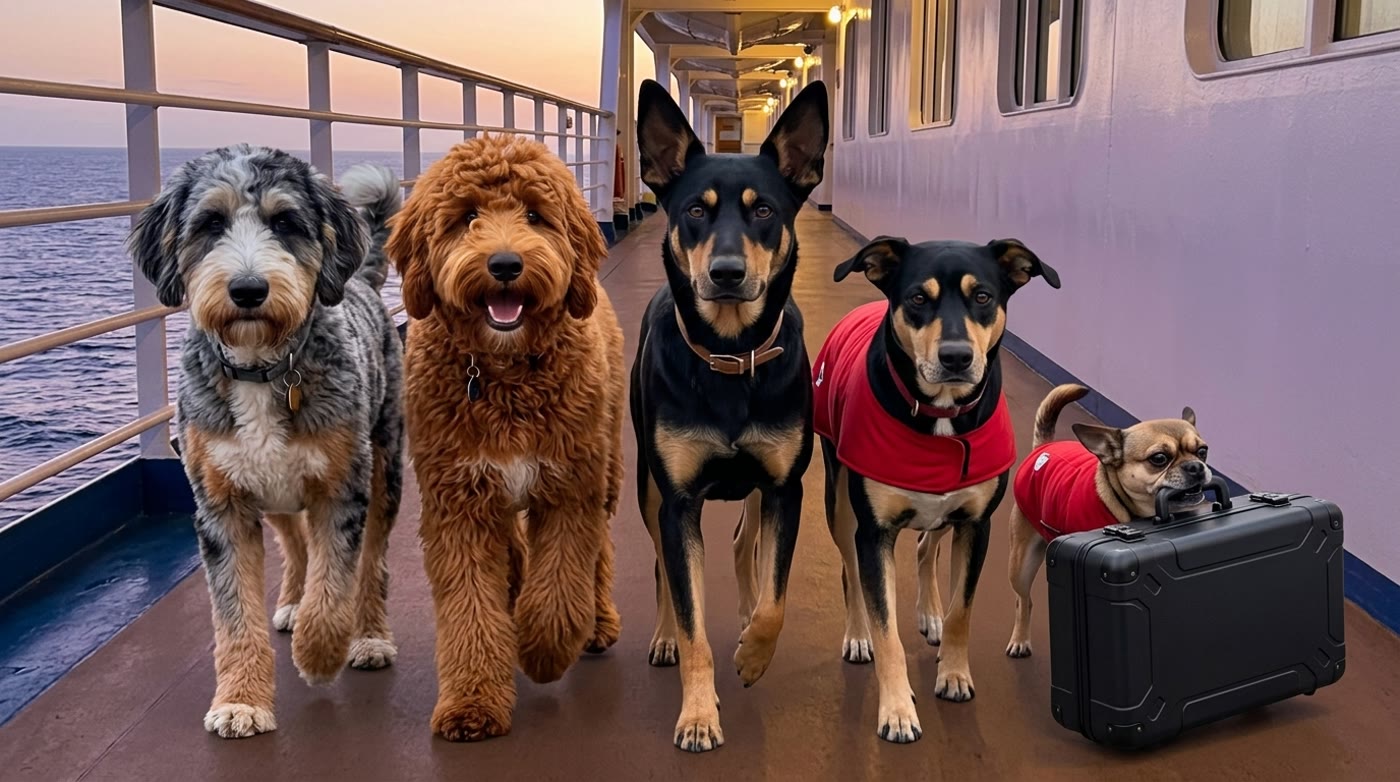
Reference-capable models can carry multiple character anchors into a moving clip. As the model lineup changes, the same reference-driven approach continues to apply. A new engine should not require rebuilding the identity of the show.
A first look at Greenies Overboard
This workflow is being used on Greenies Overboard: a cruise, a greenie-smuggling operation, a storm, and a shipwreck that strands the Pack on an island. Five distinct characters, multiple locations, and a full narrative arc make it the kind of episode that tests whether the whole studio works together.
A solo creator still directs every choice. Showspring coordinates the production jobs that make those choices survive from the first idea to the finished episode.
Make a show worth coming back to
Showspring is in early access. If you are building a creative episodic show and want the studio to carry more of the production weight while you keep control of the work, request access at Showspring.
For the engineering depth behind the multi-model production fleet and the reference-to-video pipeline, read Why I Traded One AI Agent for a Fleet, and What It Did to My Video.